Running a venue shouldn’t take five systems.
The EPOS till, QR ordering, kiosks, kitchen screens, stock and staff — one system, free. You only pay when we take a payment.
Opens today on a phone you already own.

Pick your venue.
The same product runs a five-kitchen hall and a single coffee cart. Each page says only what it really does for you.
Food halls
One QR code, every kitchen, one payment — and each vendor’s money stays theirs.
Read more →Festivals & events
Kiosks, honest wait quotes by capacity, and a kitchen board that survives the wifi.
Read more →Restaurants
Table QR on your floorplan, real split bills, menus that change over by the clock.
Read more →Street food
A till on the phone you already own, and margins you can actually trust.
Read more →Pubs & bars
Group tabs without holding a card, happy-hour pricing, split bills that split.
Read more →Cafés
A counter till, order ahead for a time slot, loyalty and buzzers.
Read more →Running live at Helch Market Winchester — a real five-kitchen food hall. No logo wall: one venue, named, that you can walk into. The case study →
Not just another POS.
Every way to order, one system
Counter, QR at the table, kiosks, order ahead — one menu, one kitchen board, one set of numbers.
One payment, many kitchens
A hall basket is one payment to the guest and one honest ledger per kitchen underneath — split to the penny, by construction.
Free is the price
The whole product, every venue, every device. The only charge that will ever exist is a percentage on payments we process — and it is not switched on yet.
One platform. Every channel.
Eight pages, one product underneath. Explore the full platform →
The till
A register in the browser, on hardware you already own — it fits one screen and never makes you scroll.
Read more →QR ordering
One code for a whole hall. One basket across every kitchen, one payment, tickets to each pass.
Read more →Payments & settlement
Vendor settlement, commission and rent on the payout run, split bills that actually split.
Read more →AI that does real work
Reads menus and contracts in, drafts the rota, answers questions about your own numbers.
Read more →The product, screen by screen.
Every picture is the running product.
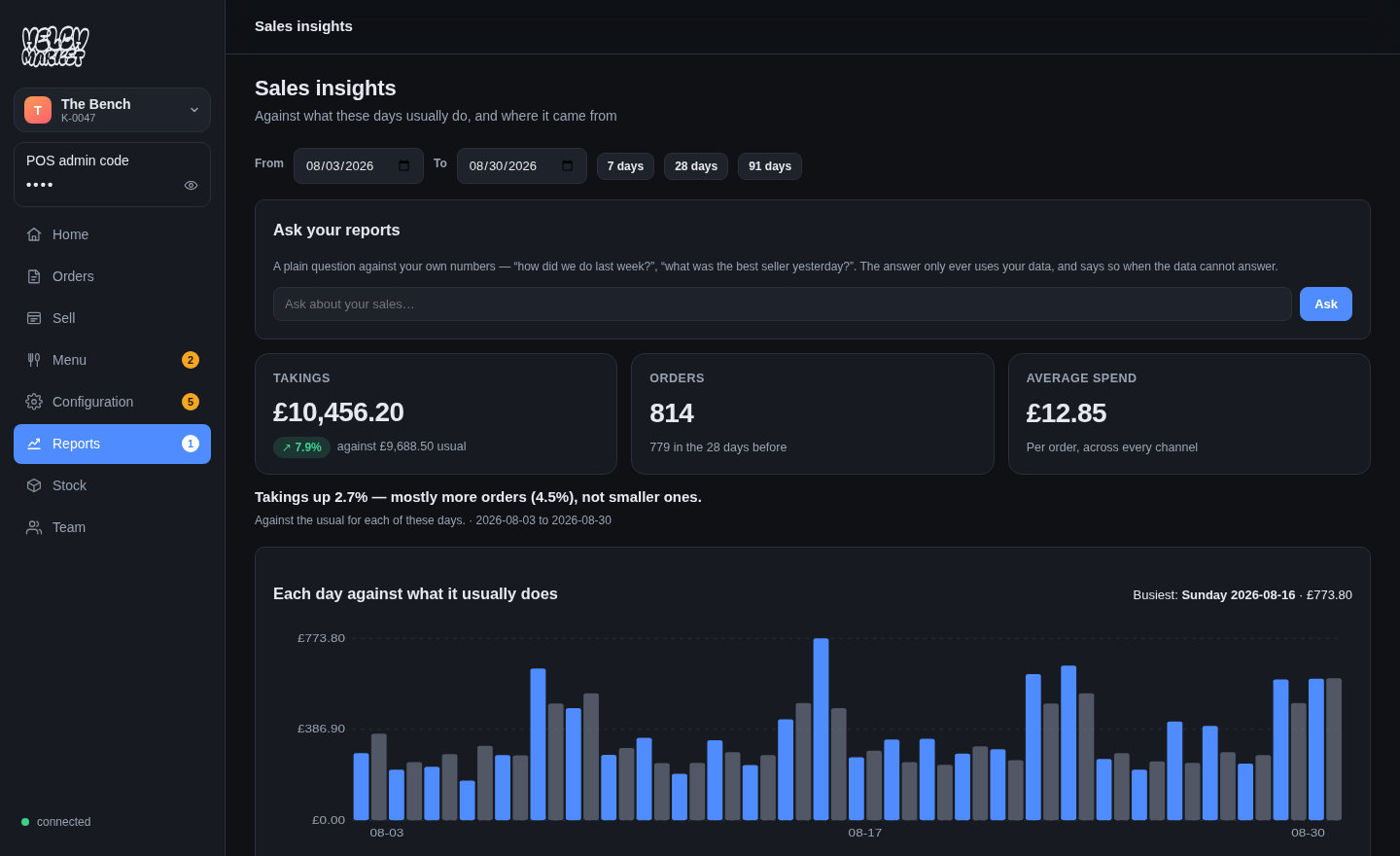
Know before it hurts.
- Takings against the usual
- Ask your numbers in plain English
- Bad weeks said out loud
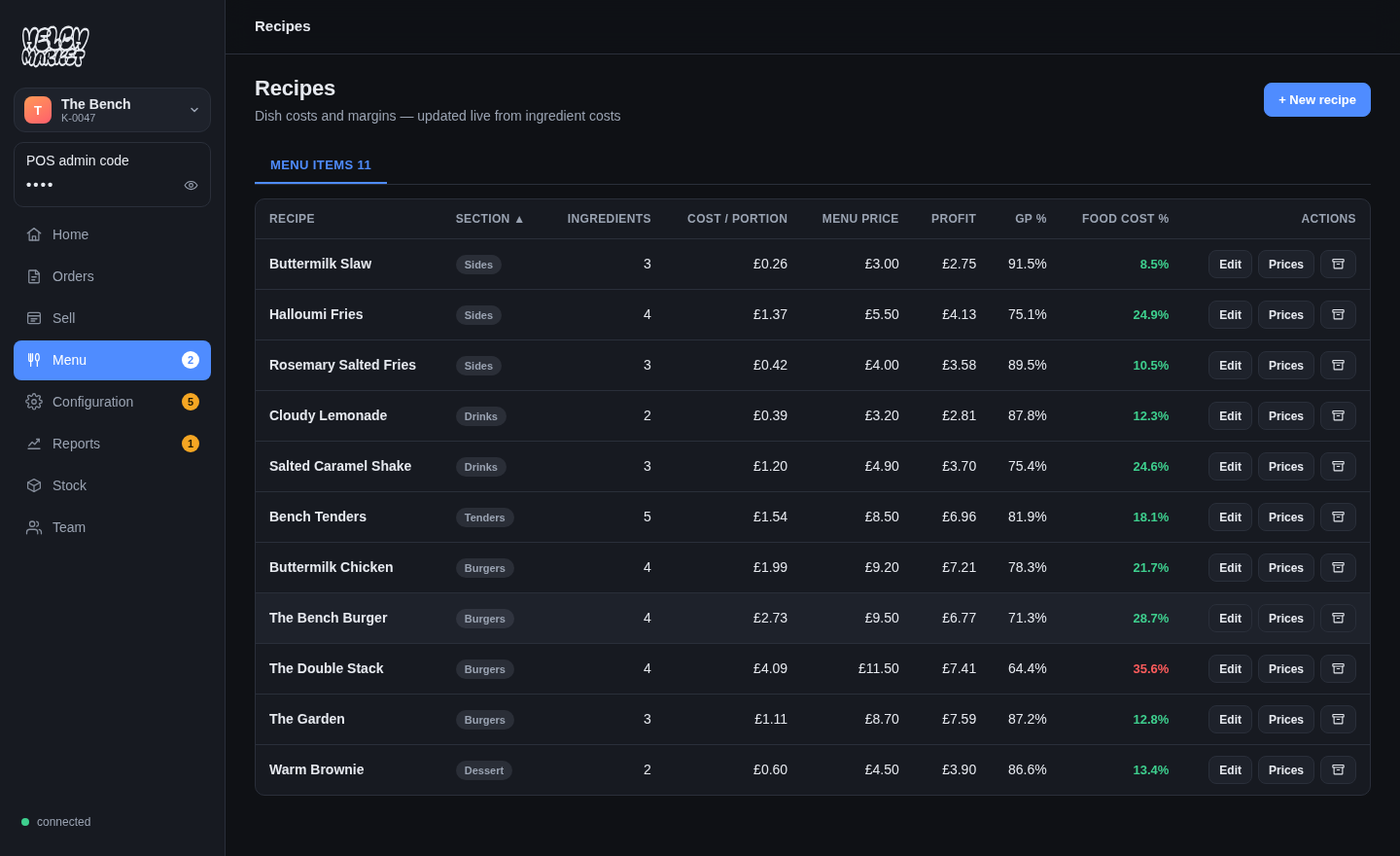
Stock that costs itself.
- Cost per portion, live
- An honest ? where uncosted
- Wastage at cost
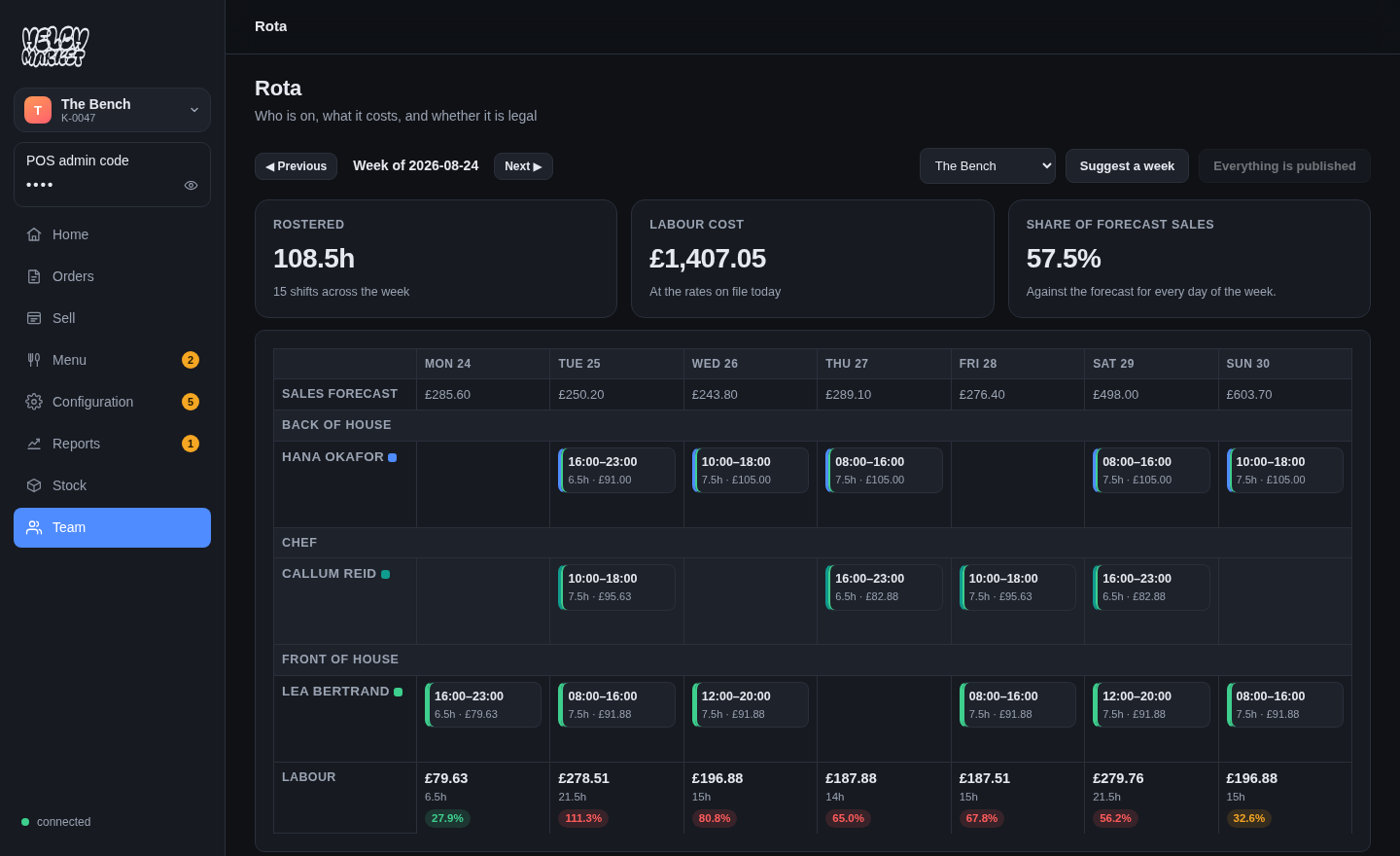
Labour against sales.
- Who is on, what it costs
- Labour vs forecast, per day
- Clock-in, timesheets, holiday
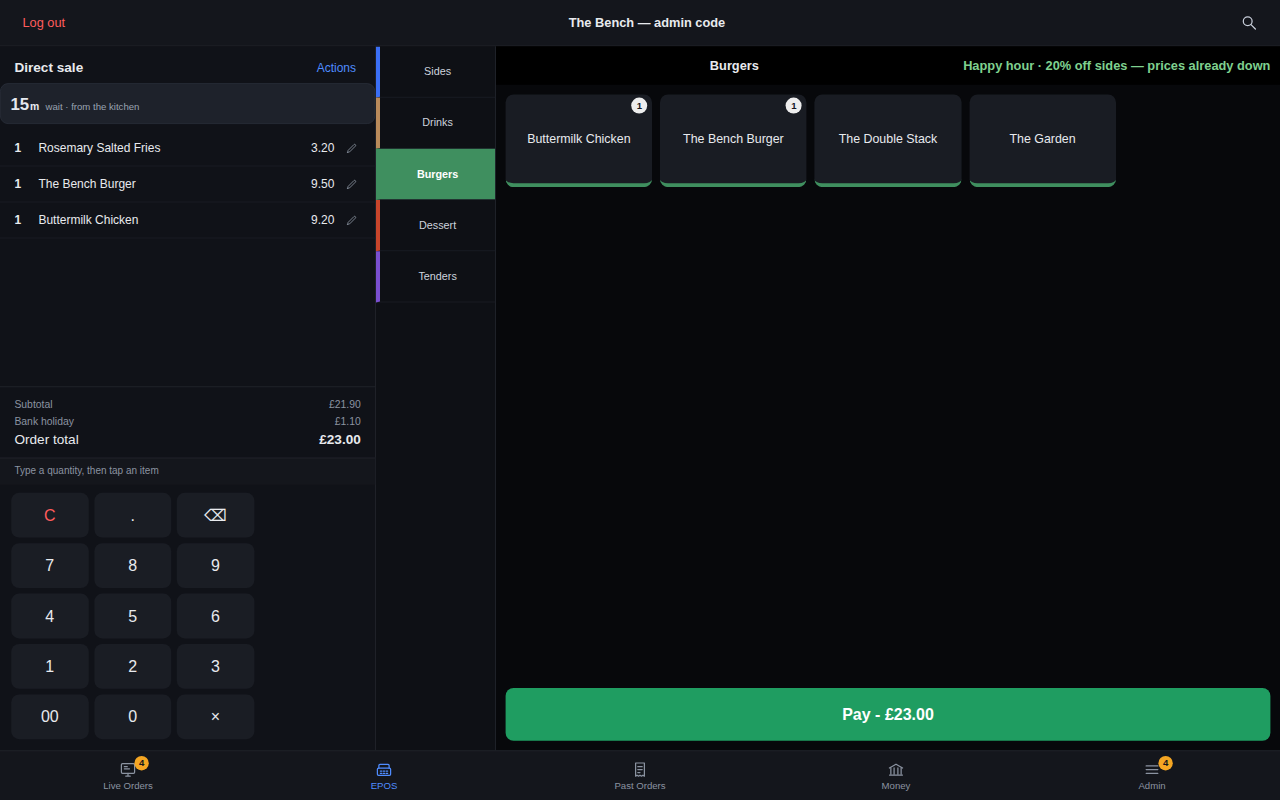
The counter and the code.
- One screen, any device The till →
- One QR code, whole hall QR ordering →
- Real split bills
AI that does the boring parts.
Four capabilities, all live today, every one producing a draft a person confirms. How each one works →
A menu from a photo
Photograph a printed menu and it comes back as items, prices and sections — in an import sheet you check first.
A contract into the file
A photographed contract fills in hours, rate and start date, and stays attached to what it filled in.
A rota from the demand
A suggested week from availability, roles and forecast — as a draft you edit, not a decision already made.
Ask your numbers
The reports screen answers a plain-English question from your own sales.
Don’t take our word for it. Order something.
The real guest page. Add something, open the basket — it just can’t take your money.
Live before lunch.
Sign up — no card
The setup only asks what applies to you.
Put your menu in
Type it, or import a photo of it.
Print the QR and trade
Everything is on from the start.
Reading for operators.
Written from running a real food hall. All of it →
How a food hall takes one payment across five kitchens
A guest buys from three businesses and pays once. What has to happen underneath for each kitchen to be paid the right amount — and where it usually goes wrong.
What "1.4%" actually costs you on a £5.90 pint
Card pricing is quoted as a percentage and charged as a percentage plus a fixed fee. At food hall basket sizes the fixed fee is most of the bill. Real numbers.
25 questions to ask before you buy a food hall POS
A buyer’s checklist for multi-vendor sites — settlement, offline trading, allergens, stock, and the contract questions that decide how you leave.
Let’s talk about your venue.
A real phone number and a real inbox — the person who answers is the person who built it.
Try it on tonight’s service.
Nothing to install, no card. Not better by the weekend? Close the tab.