One code. Every kitchen. One basket.
The hard part of a food hall is not taking an order — it is that a guest sitting at table nine wants tacos from one counter and a beer from another, and does not care that those are two different businesses. HelchPOS makes that one basket and one payment, then splits it back apart behind the scenes.
Try it. It is the real thing.
Both of these are the page a guest gets after scanning a code — the same menu, the same basket arithmetic, the same questions. Add something, customise it, open the basket. The only thing they will not do is take your money, because there is no kitchen on the other end of them.
After every order the guest is asked how it was — five faces, a word or two, and what stood out. A venue that wants to can publish those answers on its menu as a reviews page, every score shown, beside links to its Deliveroo, Google and Tripadvisor listings; a happy guest is offered the venue’s own review link, or the food hall’s if the hall asks for it.
One restaurant
A counter with its own menu. Questions on the burger, a service charge you can take off, and the basket along the bottom.
Open it full screenA food hall
Four kitchens behind one code. Pick a kitchen, add something, pick another — it is one basket across all of them, and one payment.
Open it full screenHow it goes.
They scan whatever is in front of them
A table code, a poster, a sticker on the counter. It opens the whole hall — or one kitchen, if that is what the code was for. No app, no download, no account.
They order across as many kitchens as they like
One basket. Dietary filters, allergens, modifiers and combos. Dishes you have photographed show their photograph; the rest read as text rather than a coloured square, so a hundred-line drinks list stays a list. The menu is the same one your till uses, so a sold-out item is sold out in both places — greyed out and marked, or taken off the menu entirely, whichever you prefer. Sections can carry a date too, so next week’s menu is built in front of this week’s customers without them seeing it.
They pay once
One payment for the whole basket, however many businesses are in it.
Each kitchen gets its own ticket
Tickets land on the right pass with the table number on them, and each vendor sees only their own orders and their own takings. A market owner sees the hall; a vendor sees their unit.
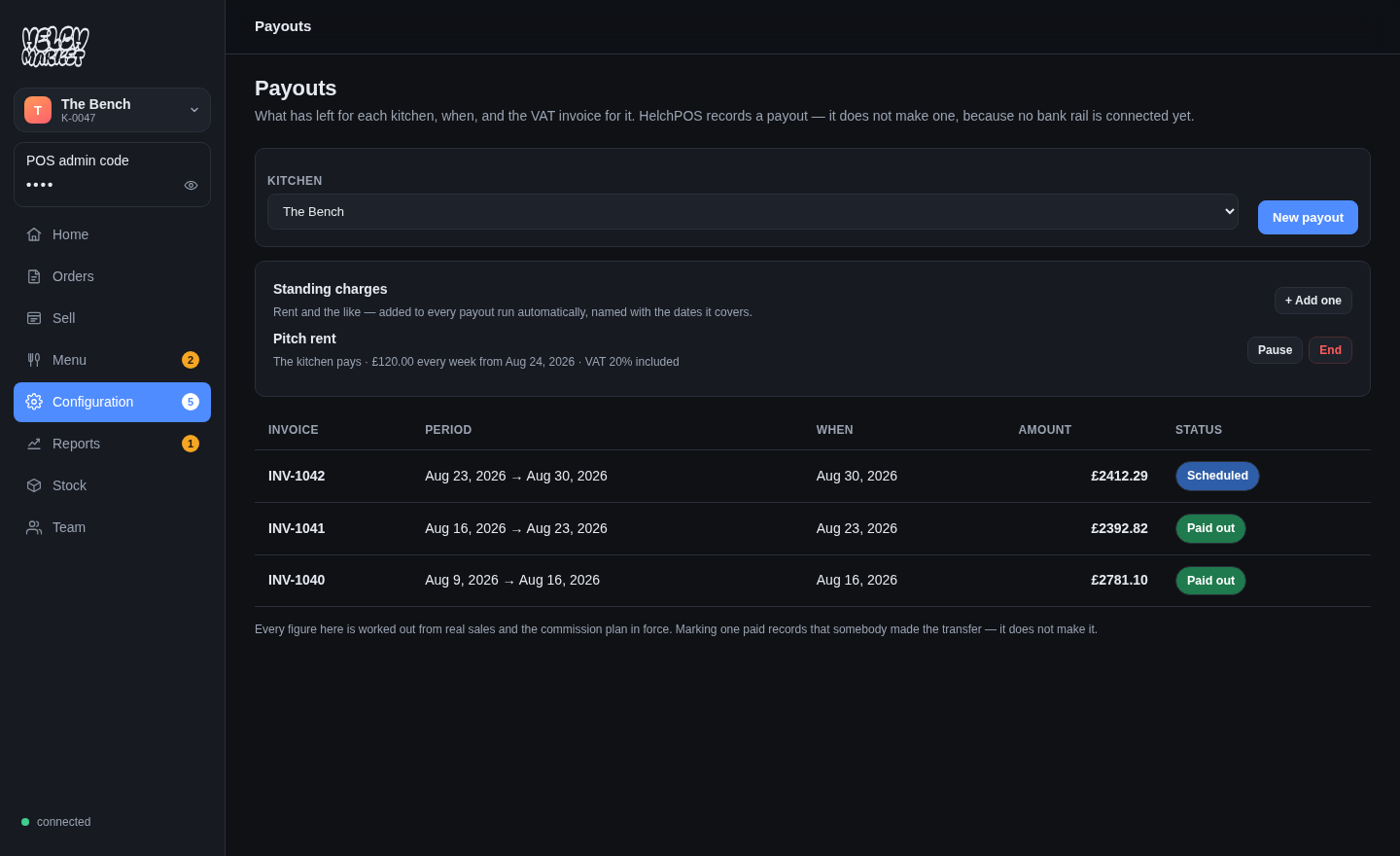
Whose money is it?
- One order per kitchen underneath. Every report, refund and stock movement stays per business — settlement is correct by shape.
- Commission and rent, per kitchen. Standing rent lands on every payout run by itself, named with the dates it covers.
- A refund comes out of the kitchen that was paid. Never pro-rata across the hall.
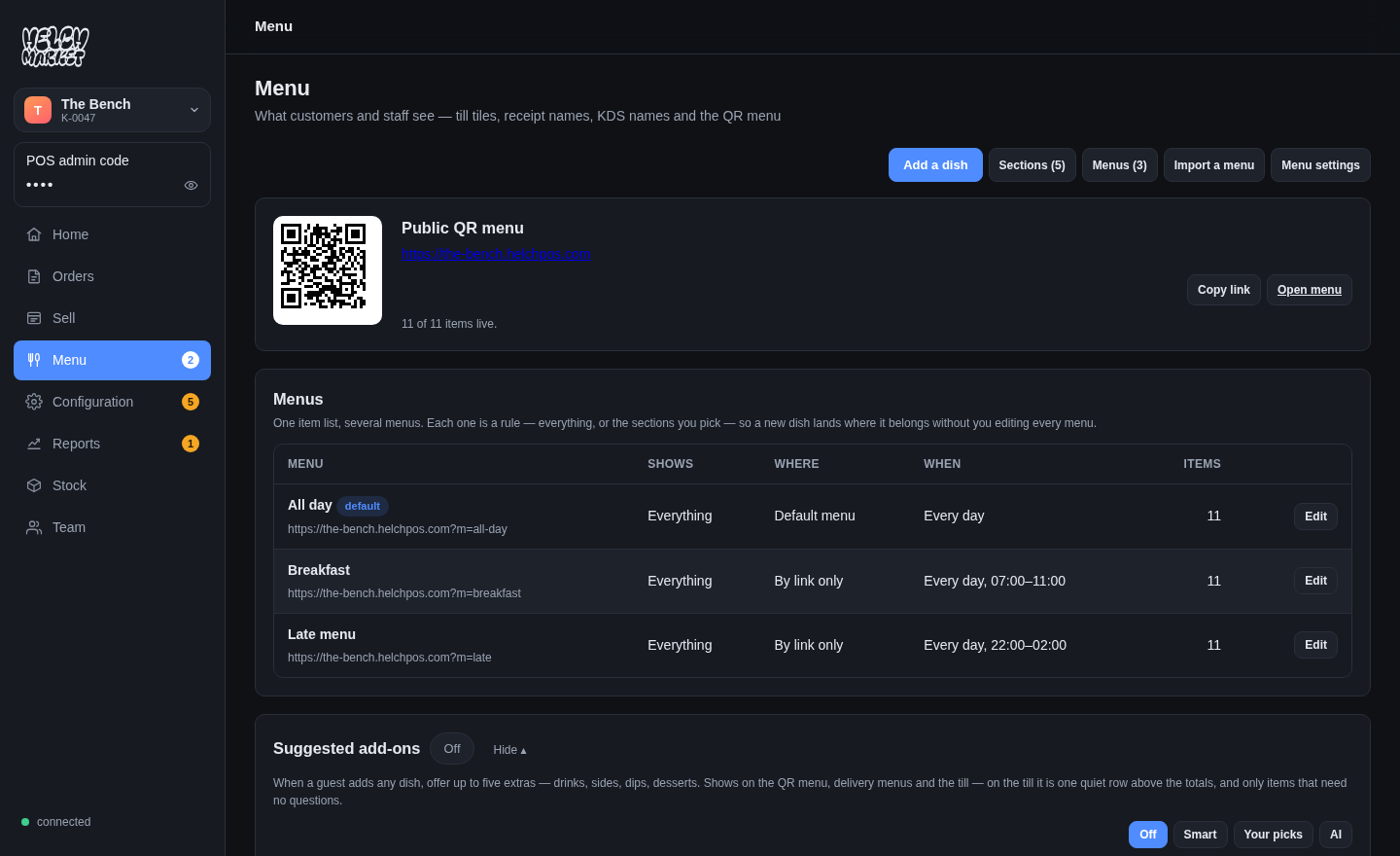
The menu behind it.
- One menu everywhere. The QR page, the till and the kitchen read the same menu — change a price and it is live before the phone is down.
- Your QR code, ready to print. On the menu screen from day one.
- It nags you honestly. Uncosted dishes and missing photos are said on screen, not hidden.
- A dish is looked up once. Photographs found for a dish are shared across every kitchen on the platform, so the second place selling the same thing is handed it for nothing. Branded products are left alone — we will not put a stock picture of someone else's cola under your Diet Coke.
Scan the demo above. Then make your own.
Your menu can be live on a QR code today, free.
From the journal.
Notes from building this, written as it happened. All posts →
A kitchen called Loco Lime is called Loco Lime in every language
We put the whole product into 26 languages and immediately had to answer a harder question: which words are language, and which are somebody’s name? Get it wrong and a guest orders a Beef Taco from a menu that says Taco de Birria.
Read it → 8 September 2026One hall, ten kitchens, one way of showing them
A food hall’s QR landing page is a grid of its kitchens, and the grid is the hall’s shopfront rather than each vendor’s. Three card formats, chosen once by the hall, applied to every kitchen — including the ones that have not uploaded a photo.
Read it → 31 August 2026A stock photo under a brand name is a lie
Finding a decent photograph of "beef burger" is easy and fair. Finding one for Diet Coke, or a named champagne, is neither — so the honest answer is to refuse.
Read it →