Timed menus
The menu somebody forgot to switch off at eleven is the menu that sells a breakfast bap at half past three.
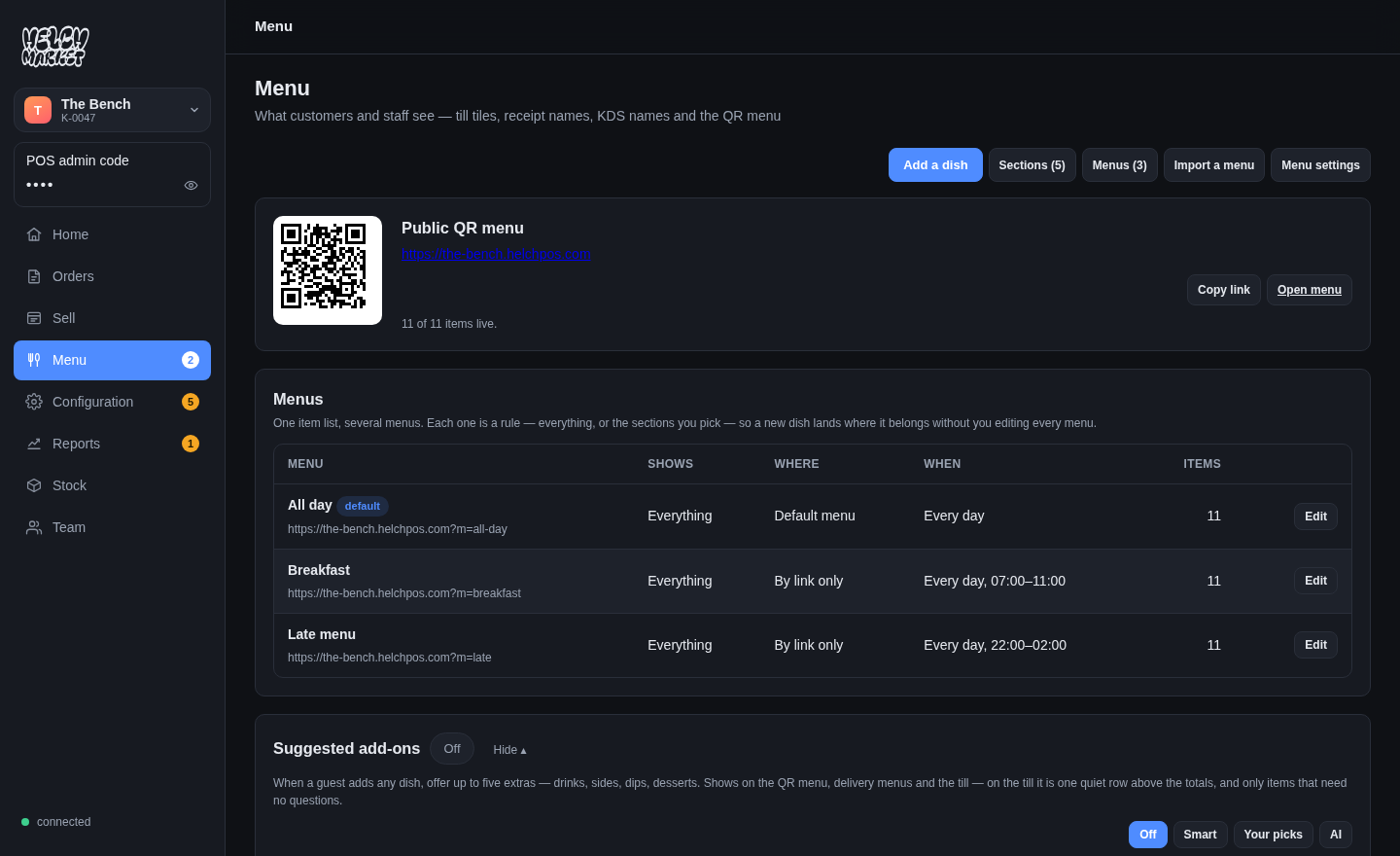
Real screenshots of the running product — the same screens you get, showing real data, not mock-ups.
What it does
A menu carries its own window — from 07:00 to 11:00, say — and is only ever chosen inside it. Outside those hours it does not exist for a guest: not greyed out, not there. A window that ends before it starts runs through midnight, because a late menu that stops at 2am is a real thing and 02:00 is not "before" 22:00 in any way a kitchen means.
Where it applies
Per venue and per channel. The counter can be on the all-day menu while the QR code on the table is on the late one, and a delivery app can carry a different list again.
Prices on a clock, too
A scheduled discount — happy hour, an early-week offer — is the same idea applied to price rather than to the list: it starts and stops on its own, on the days you choose, and the till and the QR menu agree about it because they ask the same code the same question.
One section, or one dish, on the clock
A whole menu is not always the unit. A section — Breakfast, Happy hour — or a single dish can carry its own hours, a window per weekday, set once and copied to every day with one tap; or be hidden with one click and brought back the same way. The till and the QR menu follow it themselves, within the minute, without a reload — a section that closes at eleven is gone from the register at eleven, not when somebody next opens it.
What it will not do
It will not hide a dish somebody has already put in a basket. A guest who added a breakfast bap at 10:58 keeps it; the menu closing is not a reason to empty somebody ’s order at the checkout.
Free to use.
Every feature on this site is in the product now. The ones that are not built are named on the comparison page rather than left out.