Tips
A tip screen is a test of whether a product respects the person paying. Nothing here is pre-ticked, and by default nobody is asked to do percentages in a queue.
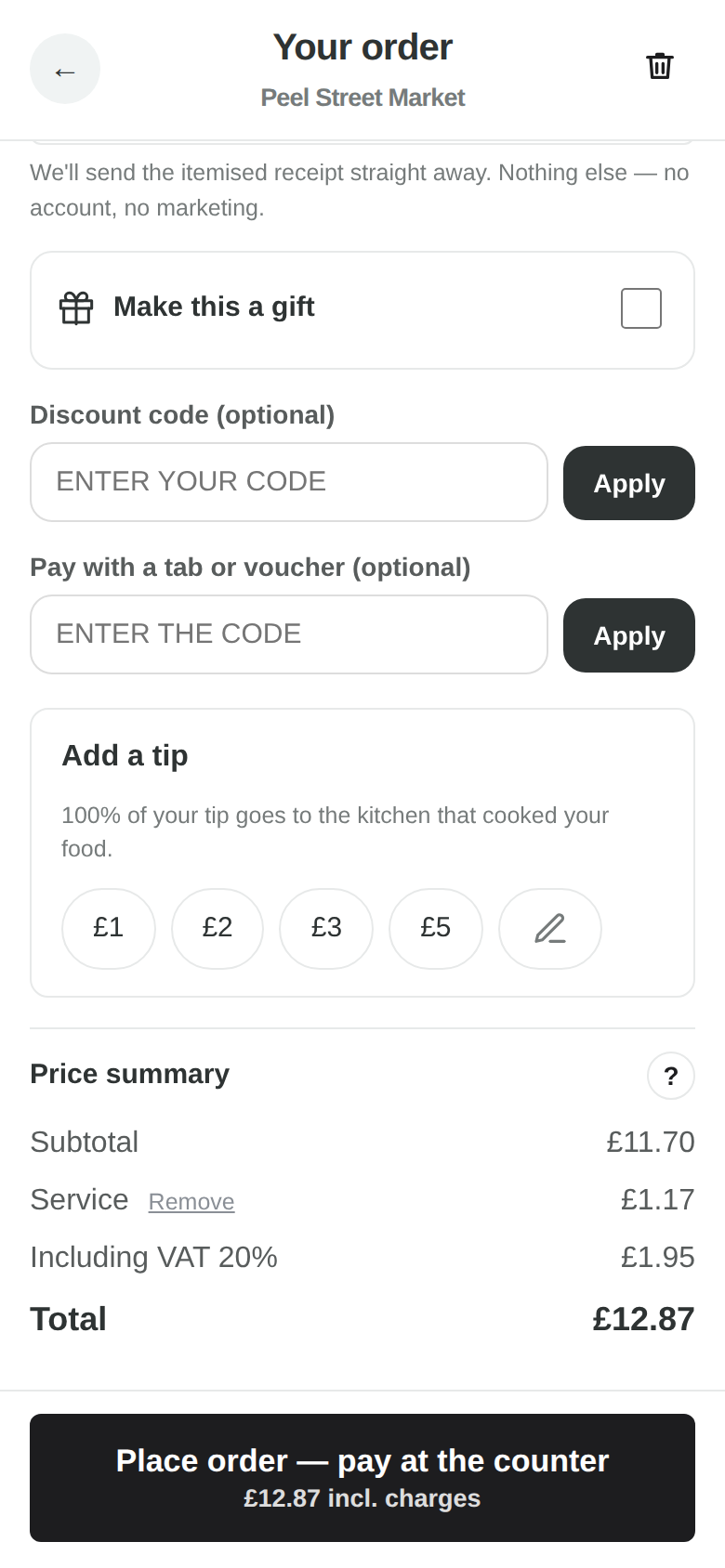
Real screenshots of the running product — the same screens you get, showing real data, not mock-ups.
What it does
At the QR checkout a guest is offered a row of amounts — £1, £2, £3, £5 — and a box for their own number. Fixed amounts by default, because somebody standing in a queue holding a phone can tap “£2” and cannot work out 12.5% of £17.40; a table-service venue can choose percentages, or amounts on small bills and percentages on big ones. In every mode “No tip” is first in the row and nothing is ever pre-selected: money only moves when the guest touches a number.
Worked out on the food, not on the charges
The tip base is the food alone. A venue charging 10% service that then suggested a tip on food-plus-service would be charging twice for the same thing, so it cannot happen here. And an impossible tip — £500 typed against a £6 taco — is treated as the fat-finger it is: capped, with the cap said out loud.
A tip is not turnover
A tip freely given is outside the scope of VAT in the UK, and this product treats it that way: it never enters the goods figure, never has VAT worked out on it, and never flatters your gross profit. Reports show tips as tips.
The money follows the food
In a food hall the basket splits into one order per kitchen, and the tip follows the food to the kitchen that cooked it. It is recorded on the order and carried into the vendor’s payout run with the rest of their money.
What it does not claim
HelchPOS records and reports the tip to the venue. Distributing tips between individual staff members — a tronc — is not built, and no screen suggests otherwise.
Free to use.
Every feature on this site is in the product now. The ones that are not built are named on the comparison page rather than left out.