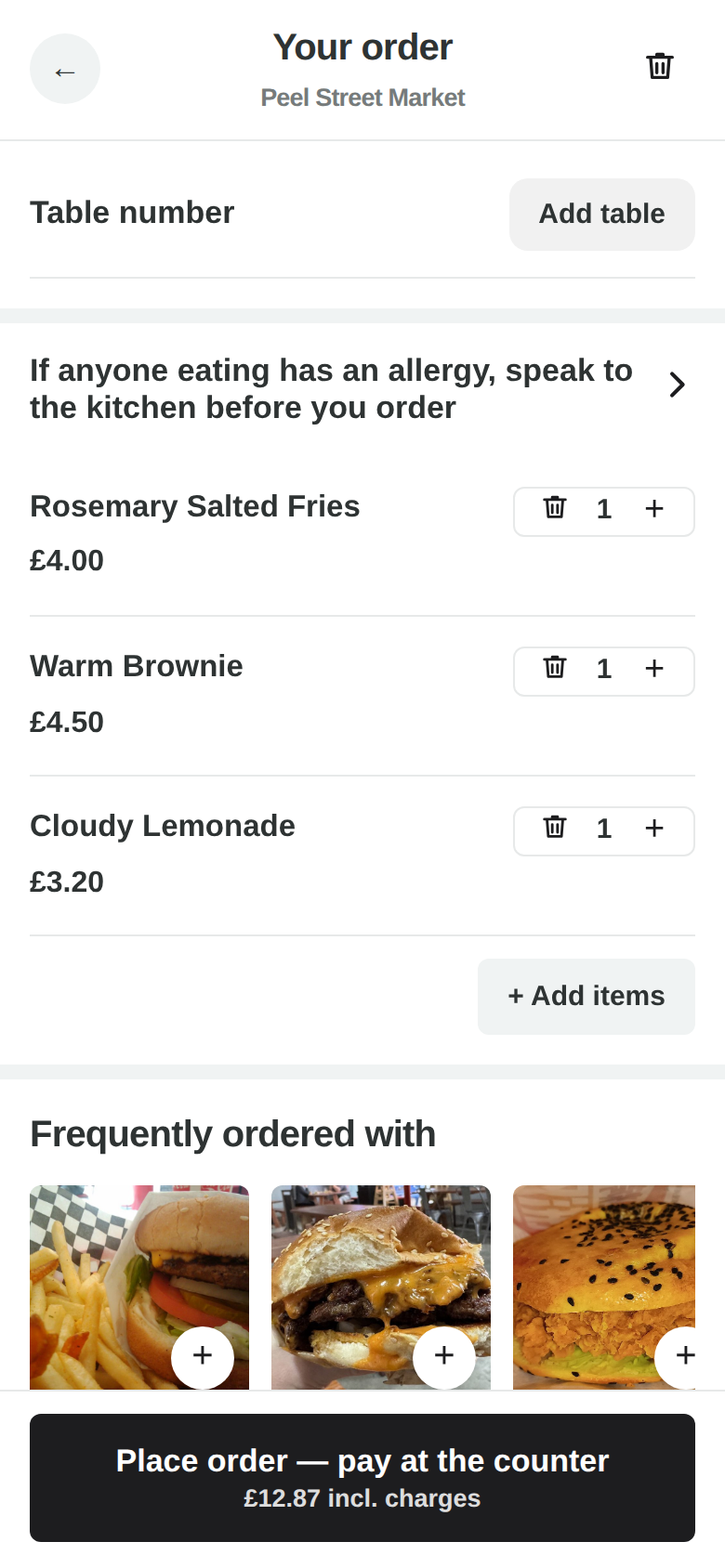
Real screenshots of the running product — the same screens you get, showing real data, not mock-ups.
What it does
Add a dish and the guest is offered the non-mains most often bought with it — drinks, sides, desserts — ranked by this venue’s own sales over a recent window, not by a category somebody tagged once.
What “bought with it” actually means
Not “this sells well”. Once a night HelchPOS reads the last sixty days of this venue’s paid orders and works out, for every pair of dishes, whether one makes the other more likely than usual — so a drink that is in a third of all baskets does not become the top suggestion for everything on the menu. A pairing needs at least five baskets behind it before it is used, which is low enough that a new venue starts getting them within days and high enough that one large party cannot invent one. It is arithmetic, not a language model: it cannot suggest a pairing that never happened. A venue with nothing yet keeps the ordinary ranking.
Set per screen, not once for the venue
Suggestions appear in three places — the one-tap add-on row (above the guest menu, and above the till’s totals), the rail in the basket, and the blocks inside an item’s own sheet. Each one follows the venue’s setting by default and can be given its own instead, including off: keep the rail in the basket and drop the strip at the top, if that is what suits the room. A screen on “your picks” can have its own list of items as well, rather than sharing the venue’s. A screen left on “follow the venue” moves when the venue setting moves, rather than quietly keeping whatever it was set to that day — and the same is true of a list it was never given.
And whether any of it earned anything
Every line added from a suggestion records which screen won it — the add-on row, the rail in the basket, or the sections inside an item, whether it happened on a guest’s phone or on the till. The Upsell report, one tap from the setting itself, shows what each of those three took, what they took it on, how many orders took anything at all, and — for a venue trading on more than one — whether it happened on the QR menu, a kiosk or the till. Surfaces that won nothing are listed too, because a strip earning nothing in a month is the thing worth knowing. It counts what a guest actually tapped and says so on the screen: it does not claim they would not have ordered it anyway.
Why non-mains
A second burrito is not an upsell, it is a different order. The suggestion list is deliberately drawn from what sits beside a main, because that is what somebody says yes to while their thumb is already on the screen.
Where it shows
Four places, all from the same ranking, so a vendor cannot end up with the counter pushing one thing and the phone pushing another: the top of the menu as a Quick order strip, the item when it is opened, the basket, and the till. Kiosks get all of it too — a kiosk is the same guest page. On the till it is one quiet row above the totals. Everywhere, only items that need no follow-up questions qualify: a tap adds it, so it never interrupts a sale or opens a form.
The AI mode
Beyond the sales ranking there is an AI mode that reads what is actually in the basket — a drink if there is none, the side that fits the dish — choosing only from your own menu, with the ranked list standing in the instant before its answer lands. Same switch, per venue.
Your switch
Most ordered, your own picks, AI from the basket, or off — per venue. Most ordered is what a new venue gets without touching anything; a quiet café that finds it pushy turns it off and nothing else changes.
Free to use.
Every feature on this site is in the product now. The ones that are not built are named on the comparison page rather than left out.